
A resource for those seeking information on organizing and transforming spaces.
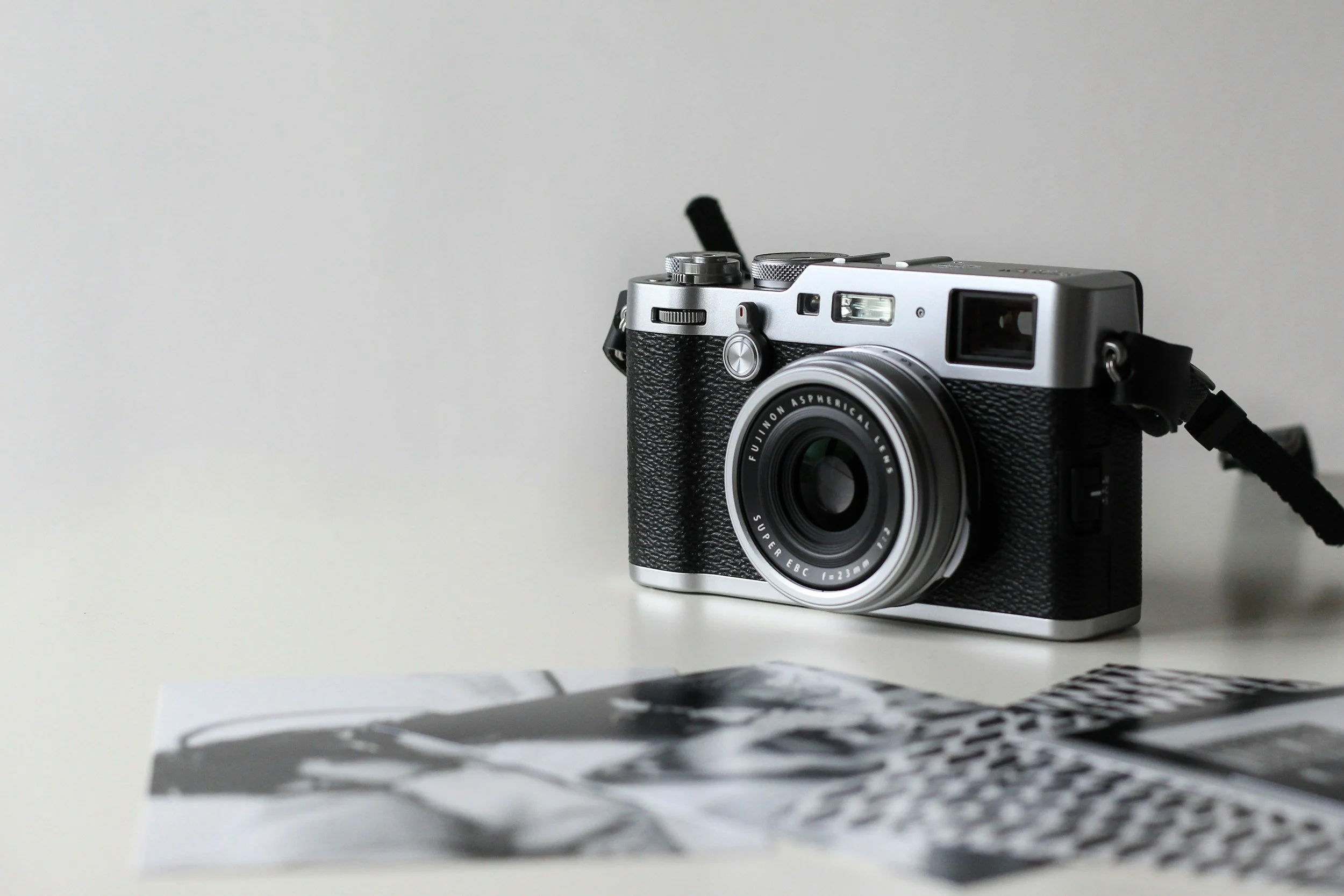
When to Keep, Sell, or Donate Old Camera Gear During a Decluttering Project
Old camera gear tends to build up over time. Lenses, tripods, bags, and accessories often stay long after they stop being useful. During a decluttering project, it can be hard to decide what to keep and what to let go of. A clear plan helps you sort through items without second-guessing every choice.
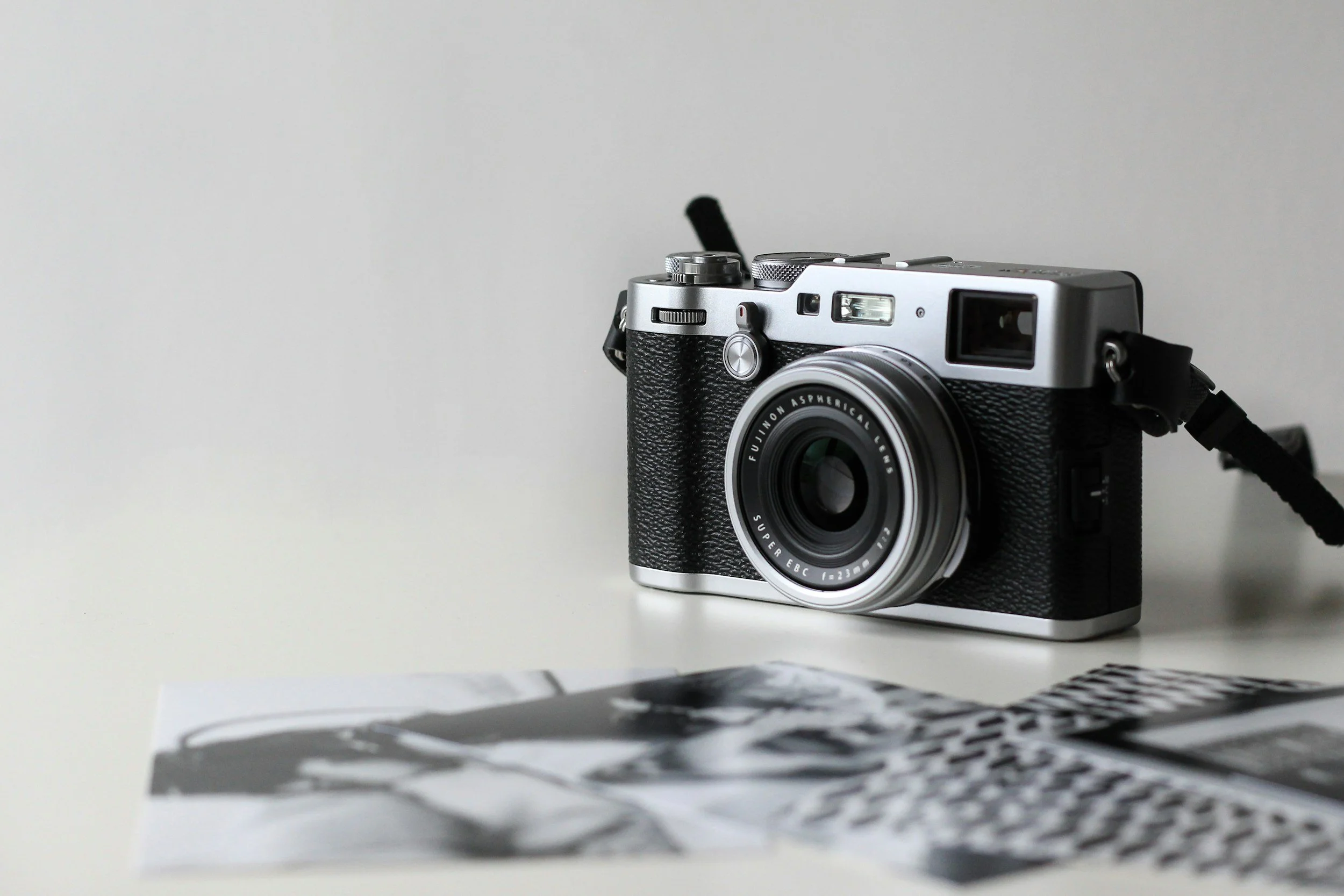
Old camera gear tends to build up over time. Lenses, tripods, bags, and accessories often stay long after they stop being useful. During a decluttering project, it can be hard to decide what to keep and what to let go of. A clear plan helps you sort through items without second-guessing every choice.
Start With a Full Inventory
Begin by gathering all your camera gear in one place. This includes cameras, lenses, memory cards, batteries, and accessories. Seeing everything together gives a clear picture of what you own.
Check the condition of each item. Look for damage, missing parts, or outdated features. Then, make a simple list so you can track what you decide to keep, sell, or donate. This step makes the rest of the process much easier.
Decide What to Keep
Keep gear you actually use. If a camera, lens, or accessory has been part of your routine in the past few months, it likely belongs in your setup. Items you reach for without thinking are usually the most valuable.
Remove duplicates. If you own multiple items that serve the same purpose, keep the one that performs best. Extra versions often sit unused and take up space. They're better off being given away or sold for extra cash.
Check the condition and reliability of your gear. Equipment that works well and supports your workflow is worth keeping in your inventory. Items that cause delays or need frequent fixes may not be worth holding onto.
Identify Items Worth Selling
Some gear still holds value even if you no longer need it. Popular lenses, newer camera bodies, and well-kept accessories often sell well. Research current prices to get a sense of what your items are worth. This can help you decide if you want to sell or not.
Selling can also help recover some of your original costs. Listing items on a used camera marketplace allows you to reach buyers who are already looking for camera equipment and accessories. When listing, make sure to use clear photos and be honest in your descriptions. This will improve your chances of a sale and your overall experience.
Know When to Donate
Not every item needs to be sold. Donation is a viable option as well. Older, functioning gear or entry-level equipment can be incredibly useful to the right people in need. Donating reduces waste and gives your gear a second life. It can also simplify the decluttering process, especially for items that may not sell easily.
Look into schools, community groups, and photography classes or groups geared towards beginners. These places are a great place to start. Before you donate, make sure to call and see if they're accepting donations and what they might be searching for.
Handle Broken or Outdated Gear
Damaged equipment may not be viable for selling or donating. These items should be recycled or disposed of properly. Look for organizations or places that offer electronic recycling programs. These services handle parts in a safe way and prevent harmful materials from entering landfills. Safely removing these unusable items allows you to clear up space without harming the environment.
Organize What You Keep
Once you decide what stays, organize your gear in a way that supports easy use. Store cameras and lenses in protective cases. Keep small items like batteries and memory cards in labeled containers. A simple system helps you find what you need quickly. It also prevents items from getting lost or damaged over time.
Sorting through old camera gear can feel like a big task, but a clear plan makes it manageable. Keeping what you use, selling what still has value, and donating what others can benefit from helps create a balanced approach. With fewer, organized items, your space becomes more enjoyable to use.
Author Bio: Corey Reinker is the Director of Operations for UsedPhotoPro.com, an online marketplace for buying, selling, and trading camera equipment. With more than fifteen years of experience in the used camera industry, Corey bring expertise across all areas of buy, selling and trading used camera gear. His focus on sustainability and upcycling used camera equipment helps UsedPhotoPro to provide great options for photographers at all price points!

How to Enhance a Photo: Editing Tricks Everyone Should Know
Have you ever looked at a photo and felt it could be so much better with just a few tweaks? We all take pictures, but sometimes they do not capture the moment the way we remember it.
We partnered with a home design company for this post. The opinions in the post are honest. All reviews and opinions expressed in this post are based on our personal views. We are excited because we know you will love it.

Have you ever looked at a photo and felt it could be so much better with just a few tweaks? We all take pictures, but sometimes they do not capture the moment the way we remember it.
Learning simple editing tricks can transform your photos from ordinary to eye-catching. With the right tools and techniques, you can bring out colors, details, and moods that truly shine.
This article will guide you through practical tips to make your photos stand out in every way.
Brightness and Contrast Adjustment
Adjusting brightness can transform a dull photo into a vibrant image. Increasing brightness highlights details in shadows, making the subject clear. Reducing brightness in overexposed areas preserves textures and prevents washed-out sections.
Contrast enhances the difference between light and dark parts of a photo. Strong contrast makes images appear more dynamic and sharp. Low contrast can create a soft, dreamy effect that works for some moods.
Balancing brightness and contrast together ensures the photo looks natural. Too much of either can make the image harsh or flat. For a quick improvement, you'll want to use a free online photo quality enhancer to adjust these settings automatically and enhance clarity.
Color Correction
Color correction fixes tones that look unnatural or off. Adjusting warmth can make an image feel cozy or cool. This step is key for making skin tones look realistic and pleasing.
Saturation adjusts the intensity of colors in a photo. Increasing saturation can make an image lively, while reducing it softens the look. Vibrance focuses on muted tones to enhance color subtly.
Fine-tuning color ensures harmony across the entire image. Corrected colors draw attention to the subject and improve visual appeal. It also helps images look consistent across multiple platforms.
Sharpening and Detail Enhancement
Sharpening emphasizes edges to make photos appear crisp. This is especially helpful for textures like hair, fabric, or landscape details. Over-sharpening can cause harsh lines, so moderation is important.
Detail enhancement brings out subtle elements in the image. It can highlight reflections, patterns, or small objects in the background. Enhancing details makes the photo more engaging and professional.
Combining sharpening with careful adjustments creates a balanced image. The photo gains clarity without looking unnatural. This step is often the difference between average and polished visuals.
Removing Blemishes and Distractions
Removing blemishes improves the subject's appearance. Tools like spot healing erase dust, scratches, or unwanted marks. The goal is a clean image while keeping it realistic.
Distractions in the background can take focus from the main subject. Cropping or cloning helps simplify the composition. This makes the subject stand out and keeps viewers' attention.
Consistent cleanup ensures a professional finish. Subtle edits maintain authenticity while improving quality. Photos feel more polished without looking over-edited.
Applying Filters and Focus Effects
Filters can enhance mood by adjusting tone and color. Subtle filters improve aesthetics without overpowering the original photo. They can create a cohesive look for a series of images.
Focus effects guide the viewer's eye to the subject. Blurring backgrounds or using vignettes creates depth. These techniques emphasize the main elements of the composition.
Combining filters and focus effects enhances overall impact. The photo feels intentional and visually appealing. It also strengthens storytelling through imagery.
Cropping and Composition
Cropping helps remove unnecessary parts of a photo. It focuses attention on the main subject. Adjusting the crop can also improve the overall balance of the image.
Composition guides how the viewer's eye moves through a photo. Using the rule of thirds or leading lines enhances visual interest. Proper composition creates a more professional and engaging photo.
A well-composed image feels natural and intentional. Cropping and composition together make the subject stand out. Small adjustments can dramatically improve the photo's overall impact.
Resizing for Purpose
Resizing ensures a photo fits its intended platform. Social media, web pages, and print have different size requirements. Proper resizing avoids stretching or pixelation.
Large images may need compression to load quickly online. This preserves quality while reducing file size. Maintaining clarity is essential when resizing photos.
Resizing also helps maintain aspect ratio and framing. It keeps the subject centered and prevents awkward cuts. Consistent sizes improve the visual experience across multiple platforms.
Exposure Correction
Correct exposure balances light and dark areas in a photo. Underexposed photos appear too dark, while overexposed photos lose detail. Adjusting exposure restores clarity and depth.
Fine-tuning exposure improves texture and highlights. It ensures the subject is visible without flattening the image. Correct exposure creates a more professional and polished look.
Proper exposure also enhances color accuracy. Well-lit images feel more natural and inviting. This step is crucial for creating high-quality visuals.
White Balance Adjustment
White balance controls the color temperature of a photo. A cool tone gives a blueish look, while warm tones appear yellow or orange. Correct white balance ensures colors look realistic.
Adjusting white balance can enhance mood. Warm tones create comfort, while cool tones add a calm or modern feel. Subtle shifts make the image visually pleasing without altering its content.
Consistent white balance across images improves cohesion. It is especially important in photo series or product photography. Accurate colors make the photo look professional and trustworthy.
Noise Reduction
Noise appears as grain or speckles in low-light photos. Reducing noise improves clarity and smoothness. This is particularly important for night or indoor photography.
Noise reduction tools soften the image without removing important details. Overdoing it can blur textures or edges. Controlled noise reduction balances clarity and natural appearance.
Reducing noise also improves print quality. Clean images appear more polished on screens and in prints. It makes the photo more visually appealing overall.
Transform Your Photos Into Moments That Speak Louder Than Words
Enhancing a photo is not just about fixing mistakes, it is about expressing your vision. Each adjustment you make can change the mood, focus, and story your image tells. With practice, even small changes can create powerful results that draw attention and admiration.
The beauty of photo editing is that it gives you control and creativity. Every photo is an opportunity to show the world how you see it.
Was this article helpful to you? If so, make sure to check out our blog for more useful information and resources

How to Digitally Declutter: Organizing Photos, Documents, and Memories
Learn how to digitally declutter your file library, set up an intuitive folder structure, and preserve memories by digitizing old files.
Safeguarding your memories by keeping photos and important documents is wonderful. They can remind you of many emotional moments and wonderful people. However, like large antique furniture, these keepsakes are beautiful but take up too much space. You need to sort through all of these items before you can declutter without throwing away anything valuable. Luckily, it’s not hard to make your documents, photos, and videos last forever these days — all you need are a few digital backups. Yet, even digital files can become a disorganized mess. Soon enough, it can become hard to find a single photo in years’ worth of digital accumulation. Don’t worry, though. Just like digitization can make your physical space less cluttered, knowing how to digitally declutter can do the same for your computer.
Digitizing Old Photos and Documents
Physical photos are vintage, cool, and more emotional than digital files. However, that doesn’t mean they don’t have downsides. Realistically, like any paper document, they take up space. Also, they’re quite easy to damage, sometimes beyond repair. That’s why digitizing old documents and photos and learning how to digitally declutter is the right way to go. And if you decide to create a vintage album, you can always print new, high-quality copies of the original digitized photo.
Challenges You Might Come Across
There’s no downside to digitizing old photos other than the associated cost — but only if you decide to perform the task yourself. In that case, you’ll need to buy a scanner. You can use a basic flatbed scanner for photos and documents, but unfortunately, they’re far from cheap.
The cheapest scanners cost about $300, but don’t expect them to produce digital files of particularly high quality. Professionals use far more expensive equipment, and not everyone is ready for such an investment. Even if you put the matter of price aside, digitizing your media comes with an additional set of challenges, such as quality issues and data loss risk. Additionally, the process can take up a lot of your time, and it requires quite a bit of skill. Luckily, you can find lots of how-to guides, online courses, and expert blogs. A good place to start is looking into the Capture website, where you can find professional advice on data conversion and even order equipment you'll surely need.
Preparing To Scan
Regardless of whether you plan on scanning the documents and photos yourself or having someone else do it, you need to organize your content beforehand. This will allow you to sort your photos and discard anything you don’t necessarily want to scan or keep. Think of this as a digital spring cleaning that will help you keep everything tidy. Once only the most important images remain, you can organize them based on various criteria:
The year they were taken
Family members and other people in the picture
The event they depict
This isn’t a strictly necessary step, but it will make organizing your folders far easier once everything is converted into digital files. You’ll quickly be able to reference how you organized your physical documents and photos.
Converting Older Formats into Digital Files
With today’s technology, you can convert almost any analog format into a digital file and keep it on a cloud storage platform. This goes for old VHS tapes as well. If you have any funny home videos, wedding recordings, or anything else you want to keep forever, now is the time to convert it.
Also, learning how to digitally declutter means more than getting rid of old VHS tapes. Think of all your old CDs and DVDs, which are slowly degrading and taking up space. You can also turn CDs into digital files without wasting any further space to store them anywhere. In fact, now is the perfect time to get rid of all old physical media and start keeping everything in a safer digital environment. Remember, CDs can get scratched, broken, or otherwise damaged. Extracting audio and video files from them has never been easier.
Organizing Digital Documents
Digitizing your documents, audio, video, and photo content is great. But if you don’t organize your newly created digital library properly, you’ll end up with a mess as big as before. Sure, disorganization doesn’t cost you space like physical clutter, but it costs you time.
Without a proper file structure, you’ll always need ages to find that one birthday video or photo from a cherished moment. That’s why you need to create an intuitive filing system. With it, you can categorize your digital content into logical categories, making it easier to find anything. Start with the broadest categories — like “Work” and “Personal.” Then, you can create subfolders in each main folder. Just make sure you’ve named all files consistently so you can easily search for anything specific in the future.
Storing and Backing Up
Scanned everything without losing quality? Great! Now is the time to organize your files into appropriate folders and make backups. As a rule of thumb, you should keep your files on a cloud storage platform rather than on your computer.
Or, at least, make a few backups in a place like iCloud or Google Drive. Otherwise, you’ll be far more susceptible to hardware failures and data loss. Plus, modern Internet connection speeds allow you to upload and download files quickly. There’s really no downside to cloud storage — other than the fact you might have to pay for more space.
Maintaining a Decluttered Digital Space
Now that you have a well-organized space for your digital files, you must learn how to maintain it. In other words, you need a regular maintenance routine to keep your files manageable and decluttered. For starters, set aside a few days each year to delete files you don’t need anymore and remove duplicates. You can also use this opportunity to create any additional folders and consider if existing ones need to be restructured.
Wrapping Up Your Digital Decluttering
With regular digital backups and cleanups, you’ll easily safeguard important files and keep your memories intact. Before any of this, though, you need to digitize your physical media first. After that, you can learn how to digitally declutter and maintain your file structure — on a hard drive or cloud storage.

Preserving Memories: Organizing and Safely Moving Sentimental Items
Discover tips on Preserving Memories while moving sentimental items. Learn to organize, pack, and safely transport your cherished keepsakes.
Moving to a new home isn't just about relocating your belongings; it's also about preserving memories attached to your sentimental items. These objects, be they a family heirloom, a collection of photographs, or even a simple trinket, hold stories and emotions that, in most cases, are irreplaceable.
As you prepare for your move, it's important to give special attention to these treasured keepsakes. Doing so ensures their physical safety and helps maintain the emotional connections they represent. In this guide, we'll identify, organize, and safely move your sentimental items. The aim is to smooth your transition while keeping your cherished memories intact.
Identifying Sentimental Items
The first step in your moving journey is to identify which items in your home are truly sentimental. These are the pieces that tell your story and bring back memories. Sentimental items are not always the most expensive or the most antique but the ones that hold personal significance. It could be a family photo album, a handmade quilt, or a souvenir from a special trip, items that spark joy and nostalgia.
Ask yourself a few questions to determine an item's sentimental value:
- Does this item bring back special memories?
- Would I regret losing it?
- Is it irreplaceable?
While it’s important to preserve these memories, balance is key. You want to create a functional home without cluttering it with too many items. Consider the space in your new home and decide which items you truly want to bring along. This step helps in making thoughtful choices about what to keep. Identifying these items with care sets the foundation for a move that respects your past while looking forward to your future.
Organizing Your Treasured Keepsakes
After identifying which items hold special meaning, the next step is to organize them effectively. This organization ensures that your keepsakes are moved safely and can be easily found in your new home. Start by making a list of all your sentimental items, as this inventory will help you track them during the move and also aid in organizing them in your new space. You can categorize them by type, such as photographs, heirlooms, or personal letters.
It’s a good idea to be selective. If multiple items serve the same purpose or memory, consider keeping only the most significant one. Also, if one or more items show irreparable and purpose-altering decay due to time or other incidents, maybe now is the time to let them go. For others that might take too much space, maybe just take a photo of them to preserve memories. That helps reduce clutter and makes the move more manageable.
Clearly label each box with a description of its contents. This step helps you locate and unpack your sentimental items easily. It also helps movers understand which boxes contain delicate items, ensuring they handle them carefully. Organizing your treasured keepsakes is an important part of organizing your move efficiently.
Packing Techniques for Delicate Memorabilia
When moving sentimental items, the right packing techniques are essential, especially for delicate memorabilia that can easily be damaged. For starters, use high-quality packing materials to safeguard your items. Bubble wrap, packing paper, and sturdy boxes are your allies. For extremely fragile items, consider double-boxing to provide extra cushioning.
Wrap each item individually, ensuring adequate padding. Fragile items like glass or porcelain should be wrapped in bubble wrap and then secured with tape. Fill any gaps in the boxes with packing peanuts, crumpled paper, or even your soft items, like clothes, to prevent movement during transit.
In addition, if you are moving long distance and decide to work with a licensed interstate moving broker such as Eagle Moving Group Florida, it’s important to communicate the value of your items. That will ensure they understand the care needed for your delicate memorabilia. Plus, this communication should happen in a polite tone and manner in writing. It might also be worth considering additional insurance for these items during the move.
Choosing the Right Storage Solutions
Finding suitable storage solutions is vital in moving, especially when it involves items that hold dear or preserve memories. Whether moving to a smaller space or just wanting to keep certain things safe, the right storage choices are key. Start by evaluating how much space you have in your new home. If you’re facing limited space, it’s important to prioritize. Decide which items you need and which you can store without compromising your daily living space.
For short-term needs, portable storage units are practical. They offer flexibility as you adjust to your new home. For long-term storage, especially for delicate or valuable items, consider a climate-controlled facility to ensure their preservation. In this process, the goal is to downsize without the drama, thoughtfully selecting which memories to keep close and which to store. It’s not just about physical space; it’s about cherishing and preserving the memories that matter most to you.
Preserving Memories during the Move

The actual move is critical in ensuring your sentimental items are transferred safely. This step is all about meticulous planning and careful handling. Before the move, pack your sentimental items with extra care. Use bubble wrap for delicate items and sturdy boxes for heavier ones. Label each box clearly, indicating that the contents are fragile and precious.
If you’re transporting items yourself, pack them in your vehicle so they won't shift or be crushed. However, you might want to trust the task to pros and hire interstate movers for larger or more delicate items if you need to make a long-distance move from Florida, for instance. After all, Floridian professional movers have the expertise and equipment to handle fragile items properly.
Once at your new home, unpack these items first. That allows you to place them in their new spots and instantly adds a sense of familiarity and comfort to your new space. By giving special attention to these cherished items during the move, you ensure that your memories are preserved and given a new place to thrive in your new home.
Reflecting on the Process
As we wrap up our guide on moving with sentimental items, it's clear that the right approach can make a big difference. By taking these steps, you are preserving memories and ensuring that your cherished items remain a part of your life's story, even as you transition to a new setting. After all, moving with sentimental items is more than just a physical task. It’s a journey of ensuring the continuity of your personal history, and ultimately, the steps we've discussed are all geared toward this goal.
However, while keeping these treasured items is important, it’s equally important to recognize the value of creating a cleaner house and a clutter-free environment. Balancing between holding onto memories and embracing a fresh start is key to a successful move. Ultimately, the effort put into carefully moving your sentimental items pays off in having these cherished keepsakes continue to tell your life story, adding depth and warmth to your new beginnings.