

A resource for those seeking information on organizing and transforming spaces.

Countertops That Pop: Countertop Materials That Make a Statement in Your New Kitchen
A kitchen acts as a hub for many families. It's a room everyone in the home uses on a regular basis, and it's a room most guests enjoy, too. Because of that, it’s important for the kitchen to be both attractive and functional, especially when it comes to the countertops.
The material used for the counters will play a large role in how it looks and what it can withstand, but how do you choose the right material? Here are four countertop materials that make a statement in your new kitchen.

A kitchen acts as a hub for many families. It's a room everyone in the home uses on a regular basis, and it's a room most guests enjoy, too. Because of that, it’s important for the kitchen to be both attractive and functional, especially when it comes to the countertops.
The material used for the counters will play a large role in how it looks and what it can withstand, but how do you choose the right material? Here are four countertop materials that make a statement in your new kitchen.
Glass
Glass counters offer a unique and attractive option that will make people stop to ask more. Strong and heat-resistant, the glass will stand up to the chaos in the kitchen. Glass is also highly customizable. You can choose from a wide range of textures, colors, styles, and even light effects when you install a glass countertop.
However, this high-end material comes with a high price tag. Also, glass shows smudges and scratches more than most of the other options.
Stainless Steel
Stainless steel counters will give your kitchen the appearance of a professional kitchen, and it matches perfectly if you opt for stainless steel appliances as well. Steel won't morph or deteriorate due to contact with moisture, and it is easy to clean. Stainless steel also fits most budgets and has a respectable life expectancy.
While unique, steel doesn't have the pizazz of the other options on the list. You will also likely need to buff out scuff marks on a regular basis.
Wood
Wood provides a warm, rustic appearance. The appearance holds up quite well for years without requiring extensive buffing. You can get eco-friendly reclaimed wood made of multiple types of trees or pick your favorite.
Wood doesn't go great with heat or water. While most wooden counters come with coating to protect them, you still don't want to place your hot pot directly on the wood counter. Water should be cleaned up quickly since it can also warp the wood.
Concrete
Many people don't think of concrete when picturing kitchen countertops, but more and more people are making the switch. Concrete allows for a lot of customization when it comes to color, thickness, and shape. It is one of the strongest options available. Plus, it looks great.
Concrete counters cost a lot due to the heavy material and customized installation. They can also crack or break when they experience trauma.
You have more options for your countertops than just the conventional choices of laminate or granite. These counter materials provide some extra character and help create a starting point for designing the rest of the kitchen. If you’re planning to sell your home in the future, buyers may notice something special, too and be willing to pay a little more.

5 Home Repairs You Never Want to Try to Do on Your Own
If you’re a homeowner, periodic repairs are a fact of life. In many cases, you can do the small repair yourself. However, at other times, it’s less time-consuming, safer and more cost-effective to call in a professional to do the work. Here are five repairs that should be handed off to skilled contractors and repair technicians.

If you’re a homeowner, periodic repairs are a fact of life. In many cases, you can do the small repair yourself. However, at other times, it’s less time-consuming, safer and more cost-effective to call in a professional to do the work. Here are five repairs that should be handed off to skilled contractors and repair technicians.
Electrical Problems
Needed electrical repairs should always be left to a trained and experienced electrical technician. Safety is a major consideration, not only for the individual doing the work, but also for the quality of the work itself. If you do not have a background in electrical work, find a good local contractor who can ensure the job is done safely and properly.
Roofing Repairs
Occasionally, homeowners may find they need small roofing repairs, such as damaged shingles or separation at the flashing. Resist the temptation to climb up on the roof yourself and seek out a reputable company that does residential roofing. These companies are accustomed to doing small roof repairs, as well as complete roof replacements and will ensure that the job is done safely and right.
Major Plumbing Upgrades
While it’s common for homeowners to want to tackle small plumbing jobs like replacing a faucet or replacing the mechanisms inside the toilet, larger tasks should be left to plumbing professionals. Amateur attempts may result in larger problems and more damaging effects that end up costing more money to fix.
Tree Trimming
Most homeowners can do a pretty good job of maintaining their landscaping, from lawn cutting to plantings. However, when older trees on your lot become damaged or unwieldy, it’s a better idea to call in a tree-trimming specialist. In this way, you can avoid damage to well-established trees and ensure a healthy and attractive outcome for your landscaping trees.
Slab or Foundation Repairs
Sometimes, repairs on a home’s slab or foundation are needed to maintain the structural integrity of the home. Minor foundation cracks can often be done by homeowners, but more extensive work should be left to professionals who have the knowledge and experience to provide an appropriate and long-lasting repair that will prevent your home from experiencing damage from ground moisture.
The internet has made it easier than ever to find good, local contractors to do your home repair tasks. You can also get a referral from family members, friends or neighbors who have experience with the contractor. If you take the time to find the right company to do these 5 repairs, you can be assured of a successful result.
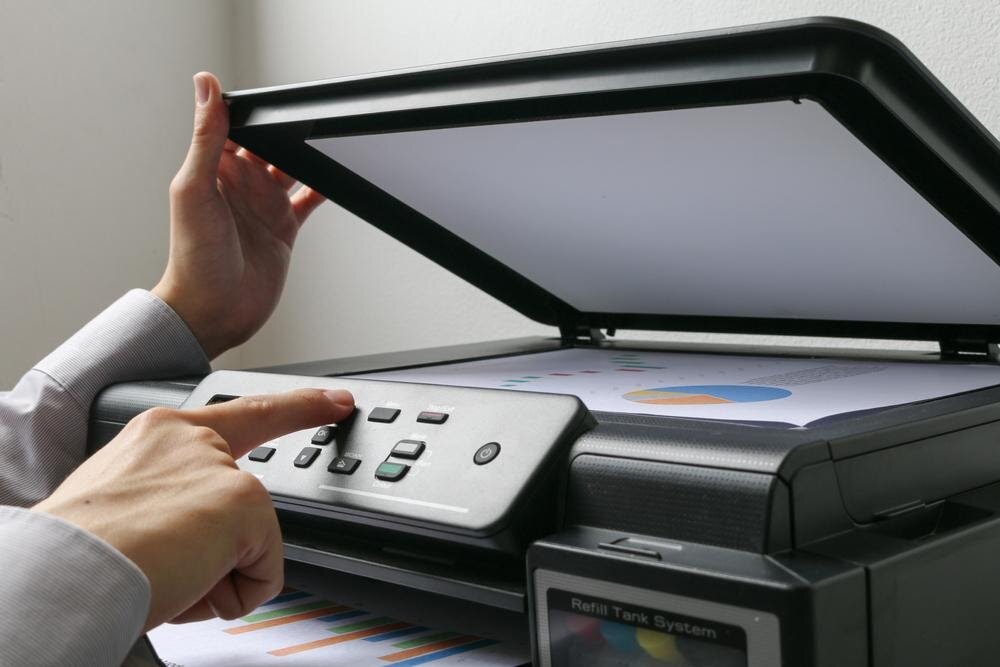
8 Best Home Office Printers
Even if you usually work from the office, you need a printer at home for occasional professional and personal printing. Having a versatile and powerful printer in your home office makes it easier to take care of tasks without running to a print store.

Even if you usually work from the office, you need a printer at home for occasional professional and personal printing. Having a versatile and powerful printer in your home office makes it easier to take care of tasks without running to a print store.
The best home office printer for you depends on your needs. Some people need fast printing every day and need a stockpile of print cartridges, while others will only use their printers occasionally.
Scanning and copying are also important features for some and, since these features are now cheaper than ever, you can get them without breaking your budget. Here are eight printers that can help complete your home office setup.
1. Best Overall — HP OfficeJet Pro 7740
The OfficeJet Pro 7740 prints in stunning quality in both monochrome and full color. With a photo print resolution of up to 4800 x 1200 DPI, your prints will look professional-quality.
The printer also faxes, scans, copies and prints up to 11” x 17” pages. Even with its range of features, it’s affordable enough for home office and family use. The front display is intuitive enough that even users looking for the basics can get what they need done.
It’s more expensive than most home office printers, but the features and quality make it well worth the investment. User reviews report relatively few issues with connectivity and troubleshooting.
2. Best Compact — HP Deskjet 3755 Wireless All-in-One Color Inkjet Printer
If space is a key concern for you, this tiny all-in-one printer is the ideal choice. It prints small photos and standard letter-size paper so you can complete basic tasks without sacrificing desk space. Since it’s wireless, you can put it in an out-of-the-way location in a separate room if needed.
You can control the printer with Alexa and a smartphone app in addition to standard computer commands. The printer is compatible with Google Drive, Dropbox, and other cloud storage systems. Since it can also print on envelopes, it’s a great go-to option for working from home or everyday family matters.
3. Best Budget — Canon Pixma TS6420 Wireless Inkjet All-in-One Printer
Getting a reliable printer on a budget isn’t difficult with the Pixma series. These Canon printers deliver solid results without the hassle, even if you’re not tech-savvy. To make it the most cost-effective printer possible, pair it with inexpensive bulk ink cartridges.
Although the display screen on this printer is smaller than average, it makes up for it with clear and easy-to-read buttons on either side. The sleek black printer blends in well with most decors for a contemporary or minimalist look.
4. Best Photo Printing — Canon ENVY Photo 7855

Home photo printing is more affordable than ever, and the Envy printer series from Canon allows you to take full advantage of color printing without sacrificing quality. This model is tailored toward photo printing more than the other Envy models, so it’s an excellent choice for families or professionals who need to print photos regularly.
Its printing speed is slower than average, but it makes up for it with its incredible quality. The touch screen is large enough for easy adjustments to settings, troubleshooting and connecting Wi-Fi.
5. Best Monochrome Laser — Brother MFC-L2710DW
Because of the high up-front cost of laser printers, they tend to be a less popular choice for home offices. However, they have a lower per-page cost and print faster than inkjet printers. If you need a laser printer for home use, Brother laser printers consistently provide excellent quality in a smaller package than standard office printers.
This black-and-white model is perfect for printing out draft and final documents for professional and personal use. Since it’s so fast, you can print out large documents that need reading or proofreading without having to wait for a long time. This makes it easier to take a break from staring at a screen while still getting work done.
6. Best Color Laser — Canon Color Image CLASS MF644Cdw

Color laser printers are typically even more expensive than monochrome laser printers because of the complexity of the technology and hardware involved. However, they are well worth it if you regularly manage an entire small business or side project from your home.
The Image Class is known for its speed and double-sided printing and scanning capabilities. It’s cheaper than most office color laser printers but doesn’t sacrifice its overall functionality. It also has a fax function that’s easy to navigate, thanks to its touchscreen.
7. Best Multifunction — Canon PIXMA TR4520
Although most Pixma series printers have at least some multifunction capabilities, the TR4520 has the best overall. This machine packs its scanning and double-sided capabilities into a compact footprint. It’s also a great overall value and is cheaper than most printers on this list.
The no-frills display also allows faxing and copying, making it a fantastic choice for home offices that still sometimes need to use old-school technology. Although it prints decent photos, it’s a better choice if you’re prioritizing functionality over photo quality.
8. Best for Mobile Printing — Canon PIXMA MG3620
Printing from smartphones is the newest trend in printing. Although many people use it for photo printing, it’s also a convenient option for busy professionals who can’t run to their laptop every time they need a document.
Early smartphone-compatible printing sometimes struggled with formatting changes and even basic connectivity. Fortunately, Canon’s current printers avoid these problems, and the Pixma MG3620 is a fan favorite thanks to its range of capabilities.
Choosing the Right Option for You
Your home printing needs will be different from those of your boss or colleagues, so take the time to carefully compare the features and benefits of each printer that looks appealing to you. Make sure to stock up on printer ink after you’ve selected your printer since most printer cartridges are not interchangeable. Thanks to modern technology’s improved user interfaces, you’ll have a shorter learning curve when getting used to your new printer than in years past.

Putting up Your Own Fence? 4 Materials You Might Need
Like most things, planning is critical to building your fence.
Find out where the property lines are.
Check with the local officials if a permit is necessary.
Call 811, find out if utility companies have underground lines through your property. If so, where they are.
Check with the neighbors. They may help with the cost or labor.
Like most things, planning is critical to building your fence.
Find out where the property lines are.
Check with the local officials if a permit is necessary.
Call 811, find out if utility companies have underground lines through your property. If so, where they are.
Check with the neighbors. They may help with the cost or labor.
Installing a Chain Link Fence
A chain-link fence has lots of parts. The top rail is supported by the fence posts. Allow one post for every 10-foot run of fencing. The bottom of the chain-link mesh is held in place by tension wire. A tension Bar is a vertical bar woven into the ends of the fence mesh at each end post, gate post, and corner. And, of course, the chain link wire mesh. Find detailed instructions on building your fence at Lowe's Home Improvement YouTube channel.
Add Privacy to Your Chain Link Fence
There are several options available, but do you want orange as you see on many industrial sites? Pexco brand silver fence weave is an economical chain link fence filler. Many homeowners use it. It is easy to install and makes an attractive companion for chain link fencing. Other colors are available too. Weave diagonally through the chain-link fence. Cut it with scissors.
Safety First
Renting an auger can make quick work of digging holes for your posts. Watch videos and read the information carefully to use your augur safely. Home RenoVision DIY shows a video on how to use a two-man auger. Dig holes a third as deep as your fence post is tall. Then, add 4 inches for the gravel. The hole's diameter should be three times as wide as your post.
Setting Fence Posts Using Gravel and Concrete Mix
You will want to pour 3 to 4 inches of gravel into the bottom of each post hole. The rock allows the hole to drain water. If you are building a chain-link fence, only the end, corner, and gate posts need concrete. Prepare your concrete mix. Stand the post in the middle of the hole. Pour in the concrete to within 6 inches from the top.
You planned your fence; now plan your time. First, line up plenty of help and determine how long it will take you to do the work. Then, allow time for the concrete to set up.

